


It’s a bit of a strange moment for VR. While Meta once championed the industry, it’s been closing studios and waffling on the metaverse (a word I didn’t hear once in my demo, by the way). And while it’s announcing some new games alongside the VR glasses, including the latest iteration of Beat Saber, I don’t think gaming will be a primary use case.
Instead, Meta seems to be positioning its VR glasses as more of an entertainment and productivity device. I was able to watch some 3D content — a Billie Eilish concert and an NBA game — that was specifically filmed for the device and it felt more immersive than even the typical VR viewing experience.
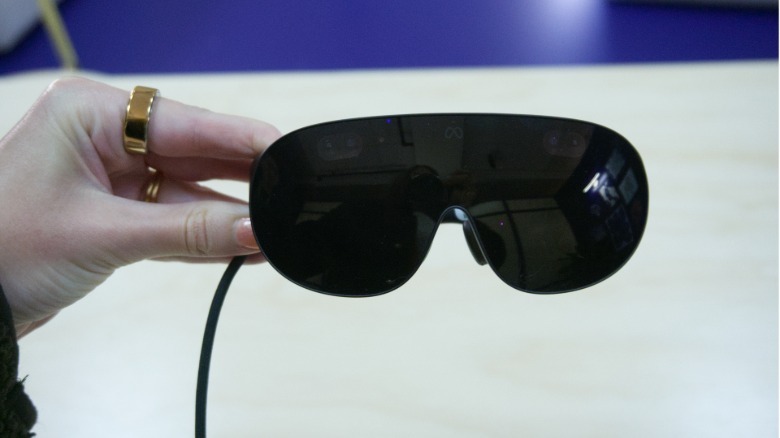 Karissa Bell for Engadget
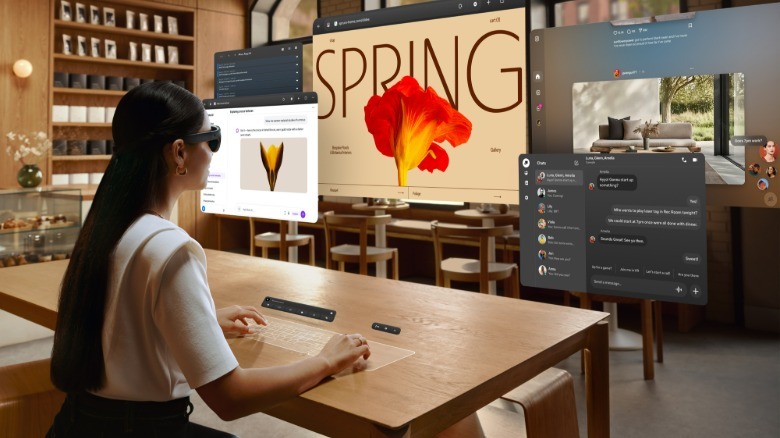
But I was more intrigued by how Meta is thinking about productivity. You can connect the glasses to a Mac or PC to use as a remote desktop. I tried this out with a Surface laptop. The laptop’s display was dark but I could see a three-window setup in front of me, with the ability to reposition the windows or even move into an ultrawide mode.
There’s also a somewhat confusingly named “Surface Keyboard” that turns any flat surface in front of you into a keyboard and trackpad. All I had to do was lay my hands on the table and a virtual keyboard and trackpad appeared.
The keyboard was “full-sized” according to Meta, and when I looked at it alongside my hands it did seem close to the dimensions of the laptop keyboard I’m currently typing on. But something about the perspective made it feel a little smaller and more cramped. Plus, the lack of haptic feedback made the experience feel a bit odd. I was still able to type out a few sentences with relatively little effort, though, so it might feel more natural over time.
 Meta
MetaStill, I’m a little skeptical that people want to work this way. Due to the relatively limited field of view, I had to physically turn my head around to see the contents of each window and couldn’t see all three at once. But I also spend much of my laptop time writing in Google Docs and reading web pages, tasks that aren’t necessarily enhanced by the immersive environment in VR. I could see how vibe coding or design-focused work might benefit from this kind of setup.
In some ways, the Meta VR Glasses feels like the company’s way of trying to make VR hardware more broadly appealing. By emphasizing “immersive entertainment” and productivity, Meta can now reach people who are intrigued by something like Android XR (or even the Apple Vision Pro) but never saw much utility in a Quest headset. It also helps that hardware advancements made VR in a glasses-like form factor possible in the first place.
I’ve only ever been a casual VR user, but I think it’s an approach that makes a lot of sense in 2026, even if it might be a disappointment to some VR fans. I also expect we will likely get even more news and updates about upcoming content from Meta over the next few months before the Meta VR Glasses’ expected ship date next spring.

